Welcome to Dual Enrollment at EFSC!
We're excited to welcome you to the Eastern Florida State College family! Our goal is to help guide you through the dual enrollment admission requirements outlined in your acceptance letter. Use the information below to learn how to navigate the myEFSC portal and resolve any outstanding registration holds before the published dual enrollment deadlines.
myEFSC is your student portal to access many of your important student resources. As an admitted student, many of your outstanding admissions requirements can be completed within myEFSC. Through the portal, you will be able to view any holds placed on your record, which may prevent you from completing the enrollment process or even registering for classes. You can also view and update your personal information.
First Time myEFSC Access
It's easy to log in to myEFSC as the link is always at the top of every website page. Your acceptance email included your username, which is your student Titan email address. The email also included your first-time password for the portal.
Forgot your Student Number, student email address or password?
You were also sent your EFSC Student ID number that begins with a B and is sometimes referred to as your "B-number." You can retrieve a forgotten B-number or email address online and also reset your password. You will need to know your full social security number, zip code and date of birth in this format MM/DD/YYYY (be sure to include the forward slashes).

Once logged in to the myEFSC Portal, check your Message Center for important communications and holds that may prevent you from registering. Holds may be placed on the student enrollment process for a number of reasons, including outstanding admission requirements, an incorrect address or social security number, or outstanding fees.
Some holds require documentation. The Student Document Dropbox is a secure, online way for you to send documents directly to many EFSC offices through your myEFSC portal to EFSC offices. You may upload completed forms downloaded from our website, scanned documents, and other supporting materials. Note, official transcripts are not accepted through the Student Document Dropbox.
- U.S. Passport or Passport Card
- Permanent Resident Card (Green Card)
- U.S. Birth Certificate: Issued by state, county, or municipal authority
- Certificate of Naturalization
- VISA
- Florida REAL ID License or ID Card
- Private school students: Request an official transcript from your school and submit it to an EFSC Admissions Office.
- Home Education and Personalized Education Plan (PEP) students: You are not required to submit a high school transcript.
You must complete the Dual Enrollment New Student Orientation before you can register for EFSC classes. The orientation provides the tools, resources, and information you need to be successful at EFSC.
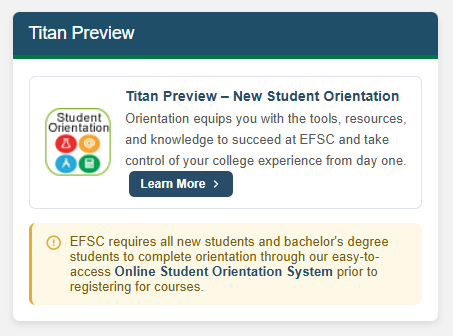
To access and complete the orientation, log in to the myEFSC portal. Locate Titan Preview - New Student Orientation and select Learn More to begin. If you are unable to finish the orientation in one session, your progress will be saved, and you can continue where you left off the next time you log in.
Once you have completed all orientation sections, the Dual Enrollment Orientation
hold will be removed from your account.
You must submit official college placement scores in reading, writing, and mathematics to enroll in college credit courses. Scores may not be more than 24 months old.
Students should request that the testing agency submit their official score report to EFSC.
Students without college placement scores may also test through EFSC. View the placement testing options, which include the online ACCUPLACER exam or the on-campus PERT.
Note: Dual enrollment students are not eligible to enroll in developmental education courses.
Log in to your myEFSC portal to see the name of your assigned EFSC advisor in the Student Services Appointment section. Select “Book” then choose the appropriate “Dual Enrollment Advising” options to schedule an appointment.
- View the Dual Enrollment course registration related dates. Dual enrollment students follow a specific timeline and must adhere to program deadlines.
- View the Registration Details page for information on how students self-register and view their myGPS Degree Audit.
- Students should meet with their school counselor and review their course plan in myGPS prior to registering to select courses that meet their needs for their school schedule and high school graduation requirements.
- Students must meet all program and course prerequisites and are limited to 3 courses or 11 credits for the fall and spring terms unless they are in the Early Admission program. 11th and 12th grade students (students who have completed 10th or 11th grade and will be advancing to the next grade level in the upcoming academic year) are allowed to enroll in one course in the summer.
- Students who need to change their courses must see their school counselor. Schedule changes will only be made during the designated add/drop window for dual enrollment.
- Fees: EFSC waives tuition and fees in accordance with Florida Statute for students participating in Dual Enrollment. All students are responsible for paying the $10 per semester Wi-Fi/Print Access Fee. Students who intend to park a vehicle on campus must purchase a parking decal.